Film Animals Multiplayer Guide: Access, Platforms, and Setup
Discover how to access Film Animals multiplayer on Roblox, explore the official platform page, and learn essential tips for group sessions.
Published: Film Animals Wiki Editorial Team
Table of Contents
Accessing Film Animals Multiplayer on Roblox
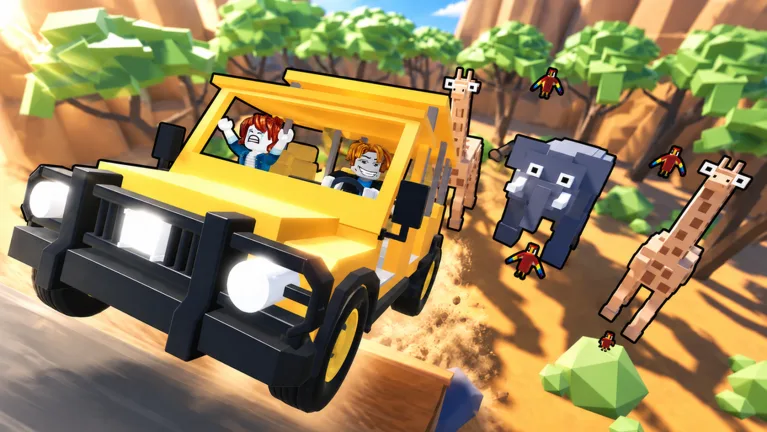
Finding and joining a specialized Roblox experience can sometimes be tricky with thousands of user-generated titles clogging the search engine results. If you are specifically looking for Film Animals, you need to ensure you are launching the correct version created by ChrisBacker1993. The official experience is titled Film Animals [1-6 Player], indicating its focus on small-group cooperative or interactive gameplay sessions.
To jump straight into the action without wading through unrelated clones or similarly named physics brawlers, you can navigate directly via the verified Film Animals Roblox Link. Having the direct link prevents common navigation errors where players accidentally queue into unrelated experiences. Ensure that your Roblox account is logged in and that your platform application is updated to the latest version to prevent compatibility crashes upon joining the server.
Open your web browser or the official Roblox application on your preferred device.
Press the large green Play button to launch the client and load into the universe (Universe ID: 10766395909, Place ID: 137095720966003).
Wait for the assets to sync, then select your preferred game mode or lobby size.
Understanding the 1-6 Player Setup
The multiplayer architecture of Film Animals centers around intimate group sizes, supporting between one and six players per session. This player limit shapes how sessions flow compared to massive battle royales or crowded arcade servers. When playing with a small group of friends, communication and coordination become much more vital to enjoying the core mechanics of the space.
According to community reports, setting up a private server or joining an open public instance with friends requires checking your Roblox privacy settings beforehand. If your account restricts party joining or direct invites, you may find it difficult to sync up with your group in the same server instance.
Tip
If you plan to play with a full group of six, consider utilizing Roblox's built-in party feature to queue everyone into the same server simultaneously, avoiding the frustration of full lobbies.
Common Access Troubleshooting Steps
When attempting to join niche multiplayer experiences on Roblox, players occasionally encounter loading errors, infinite black screens, or server disconnection prompts. These issues are rarely permanent and can usually be resolved through basic client maintenance.
Verify your internet stability and check if Roblox services are currently experiencing widespread outages.
Clear your browser cache or restart the standalone Roblox desktop client if the game refuses to launch past the loading screen.
Double-check that you are using the exact place ID (137095720966003) and not an outdated bookmark.
Ensure your device meets the minimum rendering requirements for custom asset-heavy Roblox titles.
If problems persist after running through these standard diagnostic checks, community feedback suggests waiting a few minutes for developers to push hotfixes, especially if an update was recently deployed to the universe.
Maximizing Your Multiplayer Experience
Once you successfully load into Film Animals, optimizing your settings can dramatically improve your session quality. Multiplayer physics and interactive environments rely heavily on stable frame rates and low latency. Adjusting your graphics slider down within the Roblox menu can prevent stuttering during high-intensity moments when multiple players interact with objects on screen simultaneously.
Additionally, utilizing voice chat or text chat features effectively—depending on what the specific experience supports—enhances the cooperative nature of a 1-to-6 player setup. Keep your audio settings balanced so you can communicate clearly with your group without in-game sound effects drowning out important cues.